
All your photos, all at once
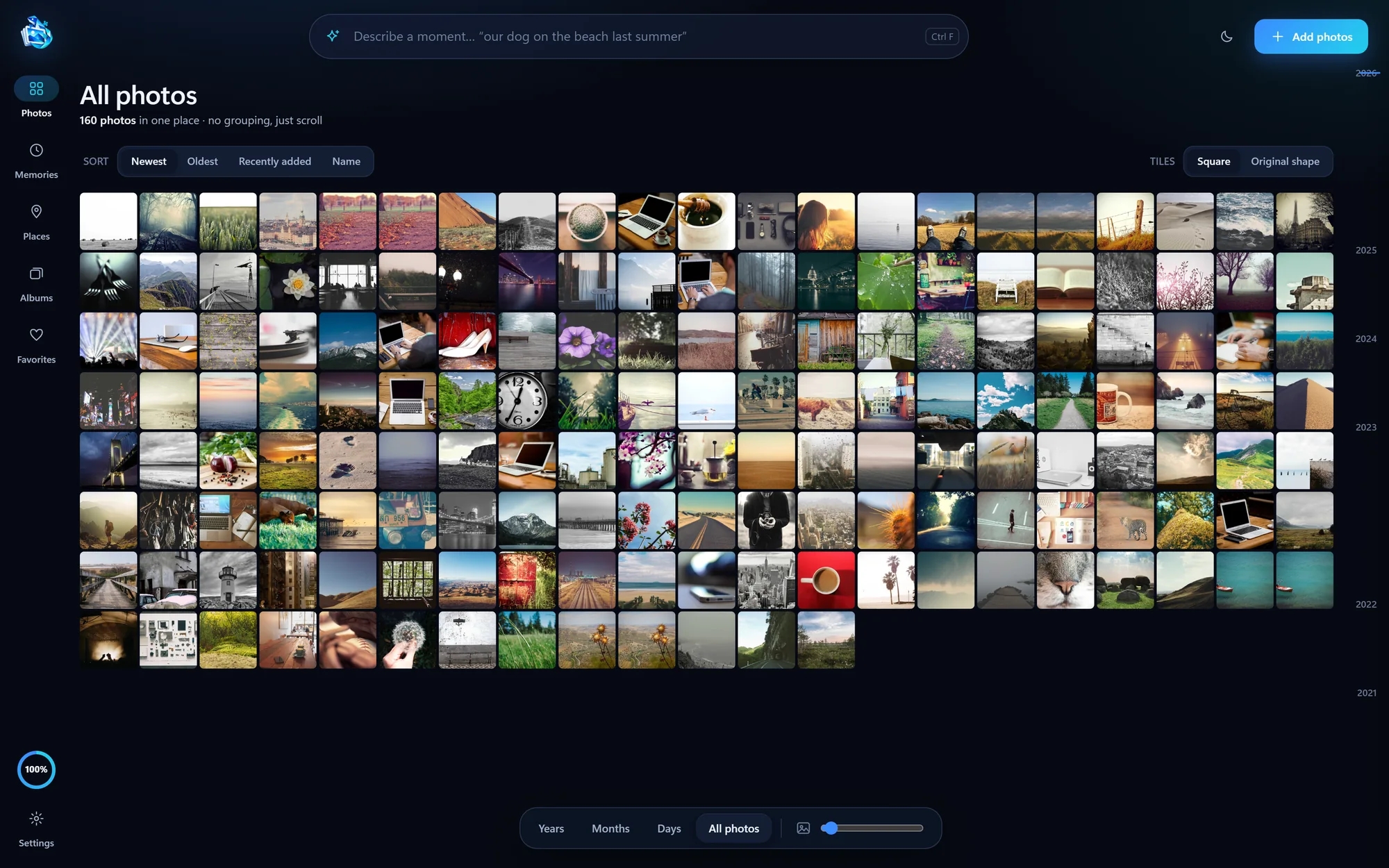
One continuous grid of your whole library. Sort by date or name, switch between square and original shapes, and zoom out until thousands fit on screen.
 Candidra for Windows
A photo library that understands what you’re looking for. Describe a moment, a place or a little detail, and Candidra finds it, right on your PC.
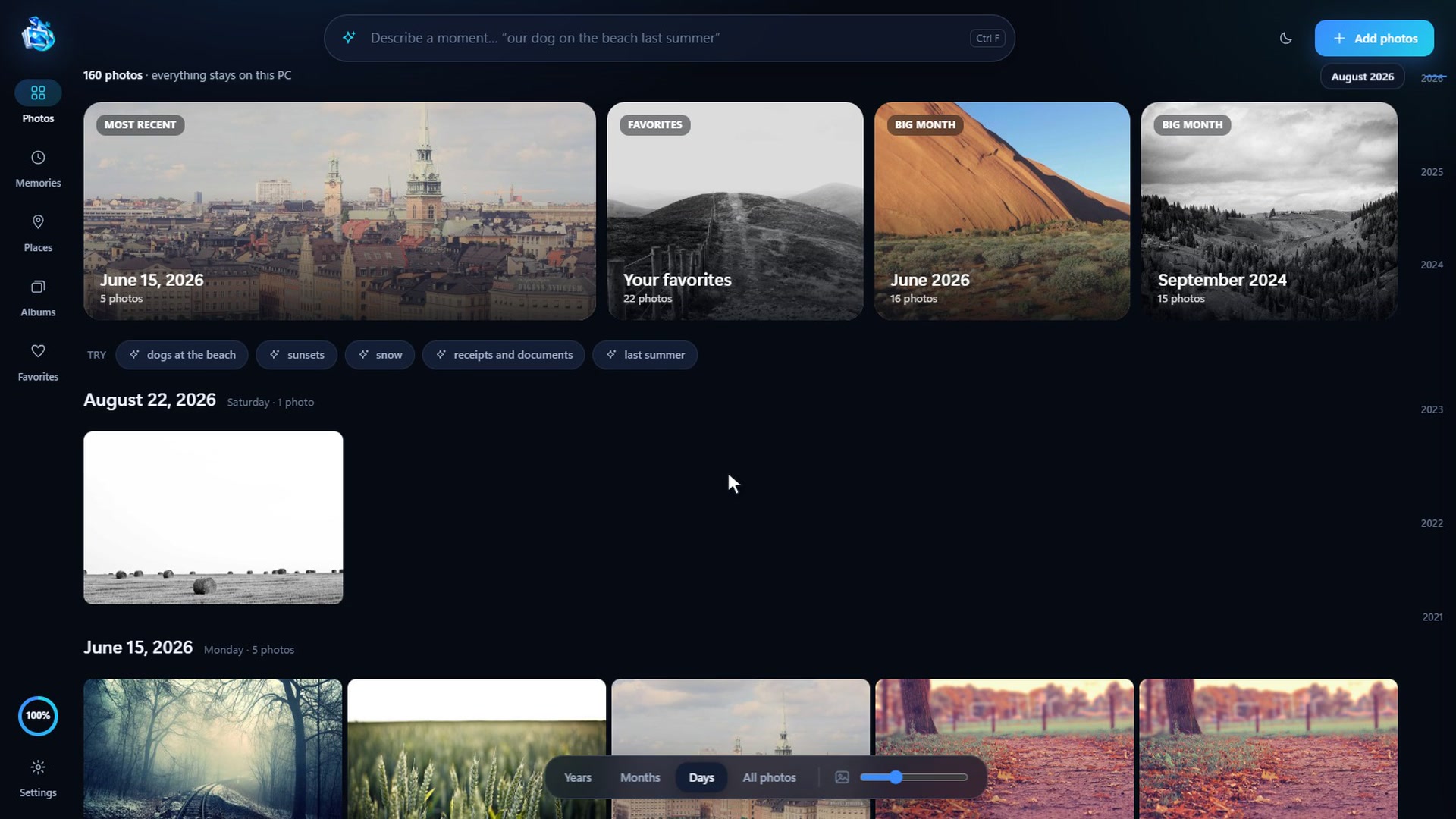
A fresh design that feels at home next to PixelBeam, with faster ways to see everything you’ve kept.
One continuous grid of your whole library. Sort by date or name, switch between square and original shapes, and zoom out until thousands fit on screen.
Describe a moment in your own words. Every result says why it matched, and filters narrow it to screenshots, documents or favorites.
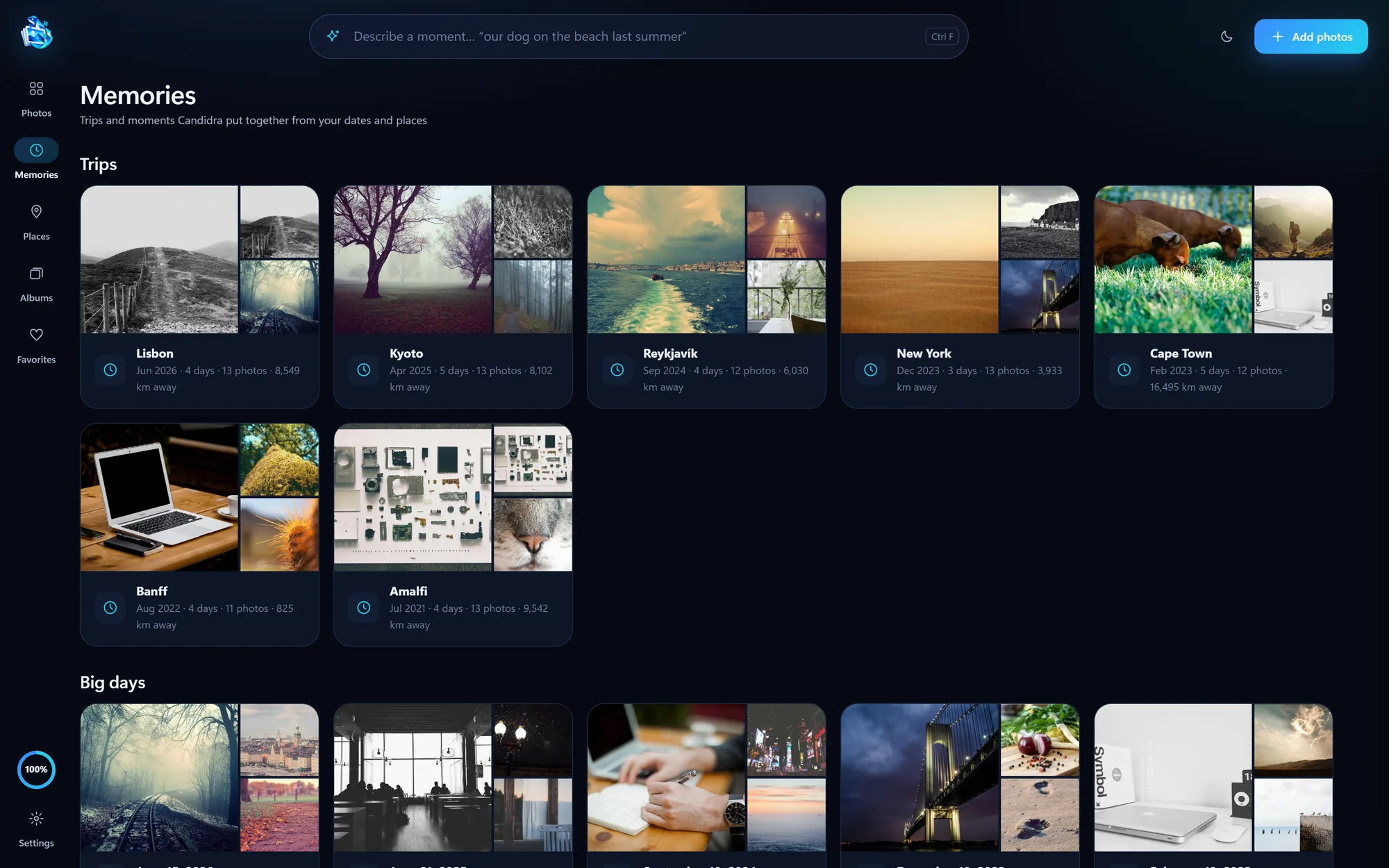
Trips, on this day and your biggest days, put together from the dates and places already saved in your photos.
Places gathers photos into bubbles you can explore. Click a busy spot to zoom in, or a small one to see its photos.
Photos fill the screen with a filmstrip below and details on the side: camera, place, and tags you can edit.

Candidra finds your PixelBeam backup folder and offers to add it, so new phone photos appear in your library on their own.
Candidra–□✕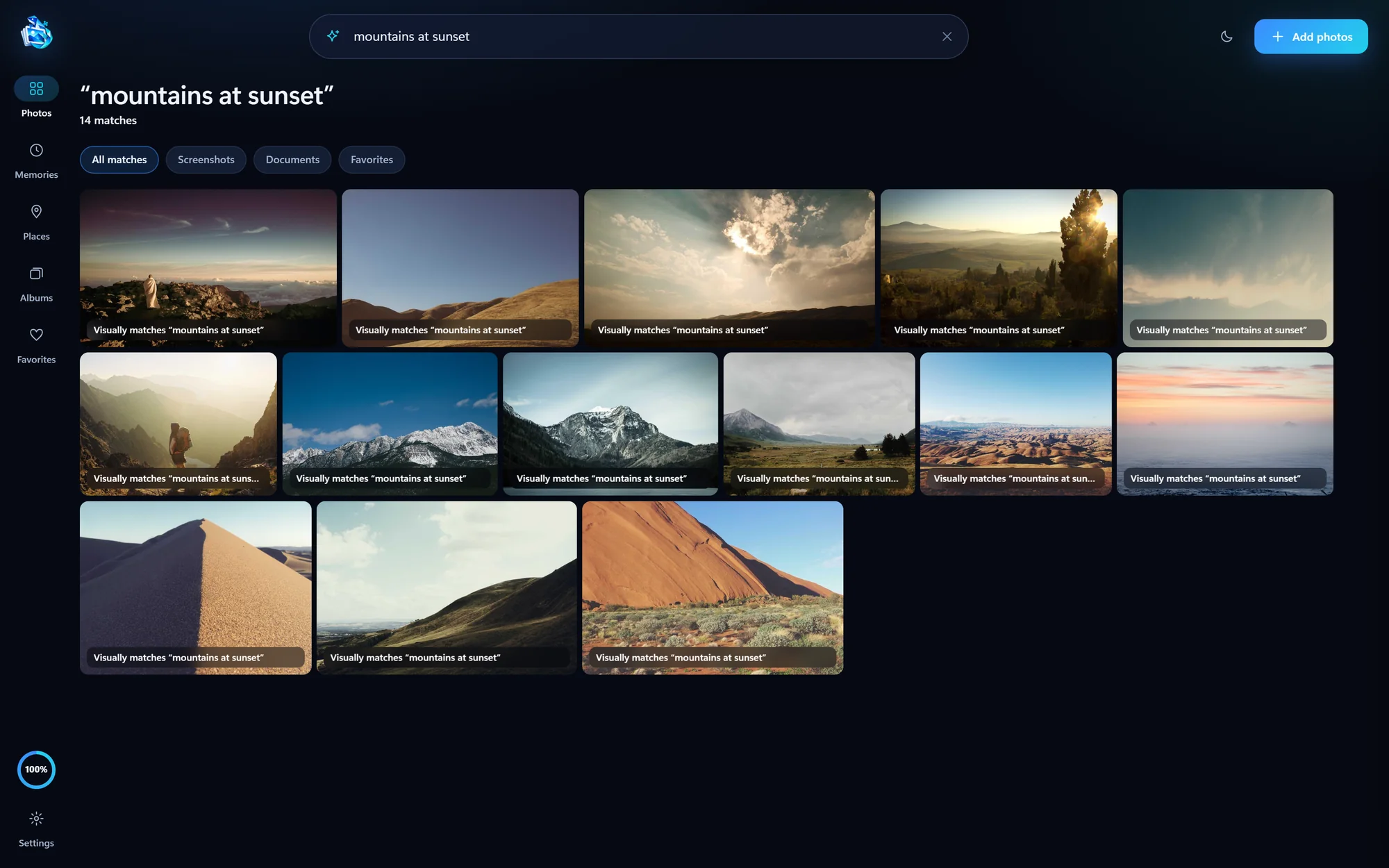 Candidra–□✕
 Candidra–□✕
 Candidra–□✕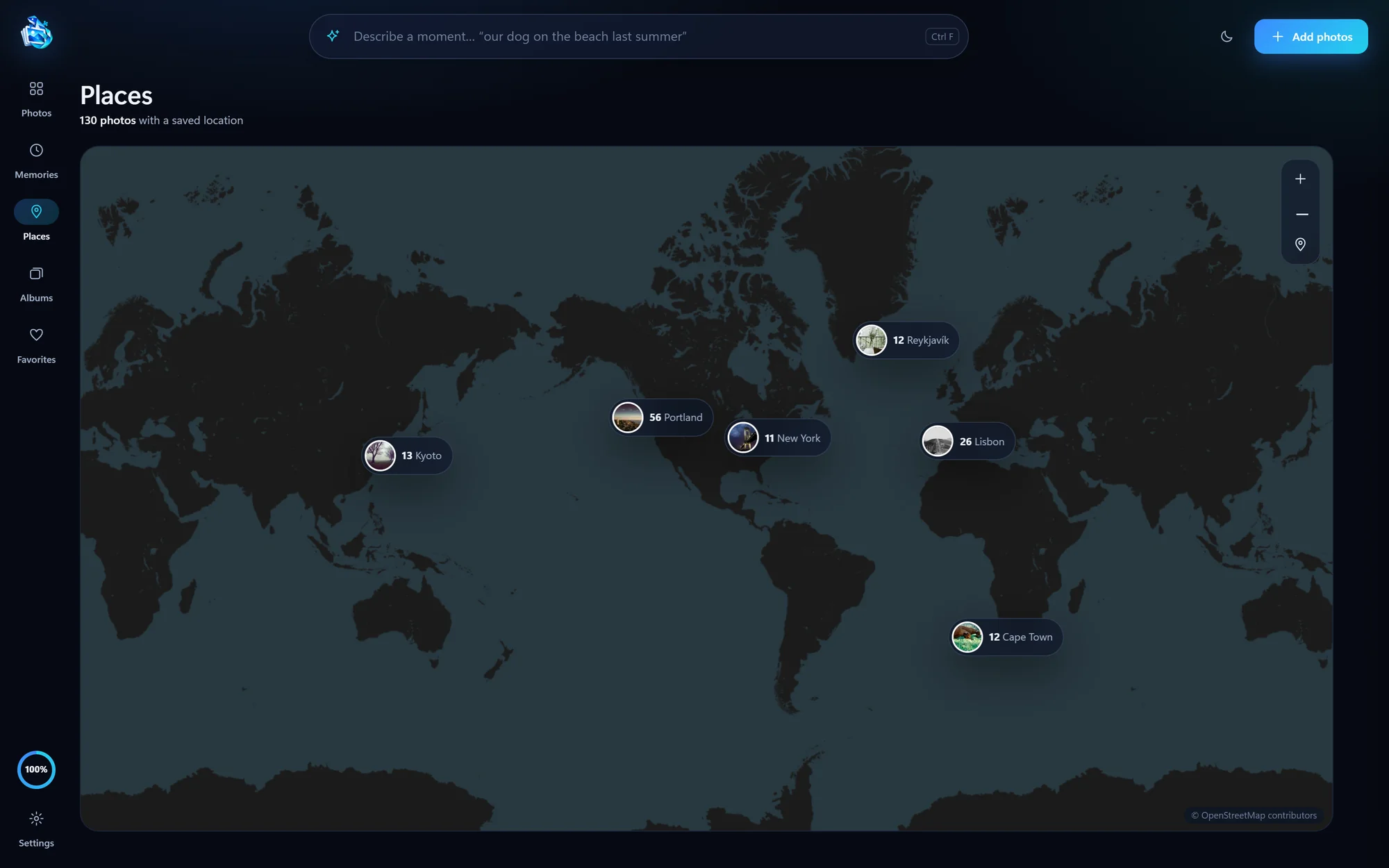
Candidra’s AI runs on your PC. It never uploads your library for analysis.
Your photos stay in their folders. Candidra builds its own index and previews beside them.
Some things belong close to home. Candidra downloads its search model once, then searches offline. Places loads online map tiles when you open it.
Yes. Candidra is a free download for Windows 10 and 11. There is no subscription, and your library is never uploaded to an account.
No. Candidra processes your photos and search queries locally on your PC. It does not upload your library for AI analysis. The app downloads its visual search model once, and the Places map loads online map tiles when you use it.
Your original photos stay in their folders. Candidra builds its own local index and previews so you can browse, search, and organize your library without changing the originals.
No. Candidra uses a compatible NVIDIA, AMD, or Intel graphics card when available, and automatically falls back to your CPU. Initial library analysis takes longer on a CPU.
The Windows installer is 203.7 MB. When you set up visual search in Settings, Candidra downloads a separate, approximately 605 MB AI model from Hugging Face, once.
Yes. Once the model is downloaded and your photos are indexed, visual search runs locally, including offline.
Find “dog at the beach” on any Windows 10 or 11 PC, without uploading anything.
iPhone to PCGet your iPhone photos onto the PC first. Five checks, in order.
iPhone to PCOpen them, convert them, or keep originals and JPG copies side by side.
Candidra for Windows
Let’s help you find it. Free, with no account to create.